Created page with "GladiusRO features a collection of exclusively developed Custom NPCs designed to enhance convenience, progression, rewards, and the overall gameplay experience. Each Custom NPC provides a unique service or feature, including access to special areas, server activities, investment systems, lotteries, VIP services, mining content, mission systems, reward redemption, and other custom functions. Use the sections below to learn where each NPC is located, how each system works,..."
GladiusRO features a collection of exclusively developed Custom NPCs designed to enhance convenience, progression, rewards, and the overall gameplay experience. Each Custom NPC provides a unique service or feature, including access to special areas, server activities, investment systems, lotteries, VIP services, mining content, mission systems, reward redemption, and other custom functions. Use the sections below to learn where each NPC is located, how each system works, the requirements involved, and the rewards or services available.
GladiusRO features a collection of exclusively developed Custom NPCs designed to enhance convenience, progression, rewards, and the overall gameplay experience. Each Custom NPC provides a unique service or feature, including access to special areas, server activities, investment systems, lotteries, VIP services, mining content, mission systems, reward redemption, and other custom functions. Use the sections below to learn where each NPC is located, how each system works, the requirements involved, and the rewards or services available.
The '''Market Entrance Warper''' provides quick access to the '''GladiusRO Market''', the main trading centre where players can buy and sell a wide variety of items.
The Market Entrance Warper provides quick access to the GladiusRO Market, the main trading centre where players can buy and sell a wide variety of items.
Inside the market, players can:
* Browse shops selling weapons, armour, accessories, and other equipment.
* Purchase pet eggs, pet accessories, taming items, and other pet-related supplies.
* Find consumables, materials, rare items, and miscellaneous goods.
* Open their own '''Vending Shop''' to sell items directly to other players.
Players who wish to sell items may enter through the '''Market Entrance Warper''', choose a suitable vending location inside the market, and open a shop using the game’s vending system. Prices are determined by individual sellers, so buyers are encouraged to compare different shops before purchasing.
Whether purchasing new equipment, searching for pet supplies, selling valuable items, or looking for rare goods, the '''GladiusRO Market''' is the primary destination for player-to-player trading. Speak to the '''Market Entrance Warper''' to enter the market and start shopping or vending.
The '''GladiusRO Lottery''' is a coin-bag lottery system where players can purchase tickets for a chance to win prizes contributed by participating players.
* Each player may purchase up to '''10 tickets''' per lottery round.
* Players choose a lucky number from '''1 to 9,999'''.
* Winner will be automatic selected by system up to 5 number
Inside the market, players can:
* The automatic lottery draw takes place at '''21:00 server time (GMT+8)''' every day.
* Each ticket may require between '''1 and 100 Bronze, Silver, or Gold Coin Bags'''.
== How to Participate ==
# Visit the '''GladiusRO Lottery''' NPC at <code>prt_in, 130, 39</code>.
# Speak to the NPC and select '''Buy Ticket'''.
# Choose the number of tickets to purchase.
# Select your preferred lucky number from '''0001 to 9999'''.
# Complete the purchase using the required Coin Bags.
# Return after the daily draw to check the result.
== NPC Options ==
* '''Buy Ticket''' — Purchase a lottery ticket and choose a lucky number.
* '''View My Tickets''' — Review tickets purchased for the current lottery round.
Browse shops selling weapons, armour, accessories, and other equipment.
* '''Top 20 Purchasers''' — View the players who purchased the most tickets.
Purchase pet eggs, pet accessories, taming items, and other pet-related supplies.
Find consumables, materials, rare items, and miscellaneous goods.
Open their own Vending Shop to sell items directly to other players.
Players who wish to sell items may enter through the Market Entrance Warper, choose a suitable vending location inside the market, and open a shop using the game’s vending system. Prices are determined by individual sellers, so buyers are encouraged to compare different shops before purchasing.
* '''Top 20 Winners''' — View the leading lottery winners.
Whether purchasing new equipment, searching for pet supplies, selling valuable items, or looking for rare goods, the GladiusRO Market is the primary destination for player-to-player trading. Speak to the Market Entrance Warper to enter the market and start shopping or vending.
* '''Check Results / Claim''' — Check the latest result and claim an eligible prize.
NPC Location
* '''Check Bag Returns''' — Check whether any Coin Bags are available to be returned.
Map: Prontera Interior (prt_in)
Coordinates: 135, 31
How to Enter the Market
Visit the Market Entrance Warper at prt_in, 135, 31.
Speak to the NPC.
Select Enter the Market.
The NPC will teleport your character directly to the Market.
GladiusRO Lottery (NPC)
location: prt_in,130,39
The GladiusRO Lottery is a coin-bag lottery system where players can purchase tickets for a chance to win prizes contributed by participating players.
* '''View Winner Prizes''' — View the available prizes.
NPC Location
'''Important:''' Make sure to check the lottery result and claim any available prize after the daily draw.
Map: Prontera Interior (prt_in)
Coordinates: 130, 39
Lottery Information
Each player may purchase up to 10 tickets per lottery round.
Players choose a lucky number from 1 to 9,999.
Winner will be automatic selected by system up to 5 number
The automatic lottery draw takes place at 21:00 server time (GMT+8) every day.
Each ticket may require between 1 and 100 Bronze, Silver, or Gold Coin Bags.
How to Participate
Visit the GladiusRO Lottery NPC at prt_in, 130, 39.
Speak to the NPC and select Buy Ticket.
Choose the number of tickets to purchase.
Select your preferred lucky number from 0001 to 9999.
Complete the purchase using the required Coin Bags.
Return after the daily draw to check the result.
NPC Options
Buy Ticket — Purchase a lottery ticket and choose a lucky number.
View My Tickets — Review tickets purchased for the current lottery round.
Top 20 Purchasers — View the players who purchased the most tickets.
Top 20 Winners — View the leading lottery winners.
Check Results / Claim — Check the latest result and claim an eligible prize.
Check Bag Returns — Check whether any Coin Bags are available to be returned.
View Winner Prizes — View the available prizes.
Important: Make sure to check the lottery result and claim any available prize after the daily draw.
The '''AutoAttack System NPC''' allows players to configure automated combat, item collection, recovery, skills, teleportation, and other supported farming settings. Normal players receive '''2 hours of AutoAttack access per day'''. The daily allowance resets automatically each calendar day. Players with an active '''GladiusRO VIP''' subscription receive unlimited AutoAttack access for as long as the VIP subscription remains active.
AutoAttack System (NPC)
== NPC Location ==
location: prontera,147,162
The AutoAttack System NPC allows players to configure automated combat, item collection, recovery, skills, teleportation, and other supported farming settings. Normal players receive 2 hours of AutoAttack access per day. The daily allowance resets automatically each calendar day. Players with an active GladiusRO VIP subscription receive unlimited AutoAttack access for as long as the VIP subscription remains active.
* '''NPC Name:''' AutoAttack System
* '''Map:''' Prontera (<code>prontera</code>)
* '''Coordinates:''' <code>147, 162</code>
* '''Service:''' AutoAttack activation and configuration
NPC Location
== Access Duration ==
NPC Name: AutoAttack System
Map: Prontera (prontera)
Coordinates: 147, 162
Service: AutoAttack activation and configuration
Access Duration
Normal Players
=== Normal Players ===
Normal players receive:
Normal players receive:
2 hours of AutoAttack access per day
* '''2 hours of AutoAttack access per day'''
Remaining time is saved when AutoAttack is turned off
* Remaining time is saved when AutoAttack is turned off
Used time continues from the remaining daily allowance
* Used time continues from the remaining daily allowance
The allowance resets automatically on the next calendar day
* The allowance resets automatically on the next calendar day
Unused time does not extend the following day
* Unused time does not extend the following day
For example, if a player uses AutoAttack for 30 minutes, the account will have approximately 1 hour and 30 minutes remaining for that day.
For example, if a player uses AutoAttack for 30 minutes, the account will have approximately 1 hour and 30 minutes remaining for that day.
GladiusRO VIP Players
=== GladiusRO VIP Players ===
Players with an active GladiusRO VIP subscription receive:
Players with an active GladiusRO VIP subscription receive:
Unlimited AutoAttack access
* Unlimited AutoAttack access
Continuous access while VIP remains active
* Continuous access while VIP remains active
No normal 2-hour daily limitation
* No normal 2-hour daily limitation
Access automatically returns to the normal daily limit when VIP expires
* Access automatically returns to the normal daily limit when VIP expires
VIP access is available only while the GladiusRO VIP subscription is active.
VIP access is available only while the GladiusRO VIP subscription is active.
How to Use the AutoAttack System
== How to Use the AutoAttack System ==
Visit the AutoAttack System NPC at prontera, 147, 162.
Speak to the NPC.
# Visit the '''AutoAttack System NPC''' at <code>prontera, 147, 162</code>.
Open Configuration.
# Speak to the NPC.
Configure the preferred monsters, skills, items, recovery options, and other settings.
# Open '''Configuration'''.
Save the configuration to a profile if required.
# Configure the preferred monsters, skills, items, recovery options, and other settings.
Leave Prontera and travel to an eligible hunting map.
# Save the configuration to a profile if required.
Open the AutoAttack System again using the supported command.
# Leave Prontera and travel to an eligible hunting map.
Select Turn ON AutoAttack.
# Open the AutoAttack System again using the supported command.
Monitor the character and remaining AutoAttack time.
# Select '''Turn ON AutoAttack'''.
Select Turn OFF AutoAttack when the session is complete.
# Monitor the character and remaining AutoAttack time.
# Select '''Turn OFF AutoAttack''' when the session is complete.
Although the NPC is located in Prontera, AutoAttack cannot be activated inside towns or cities. Players may still configure settings while inside Prontera.
Although the NPC is located in Prontera, AutoAttack cannot be activated inside towns or cities. Players may still configure settings while inside Prontera.
AutoAttack Commands
== AutoAttack Commands ==
Players can open the AutoAttack System using:
Players can open the AutoAttack System using:
@autoattack
* <code>@autoattack</code>
@ac
* <code>@ac</code>
These commands provide access to the main AutoAttack menu after leaving the NPC location.
These commands provide access to the main AutoAttack menu after leaving the NPC location.
Main AutoAttack Menu
== Main AutoAttack Menu ==
The AutoAttack System menu includes:
The AutoAttack System menu includes:
Turn ON AutoAttack
* Turn ON AutoAttack
Turn OFF AutoAttack
* Turn OFF AutoAttack
Profiles — Save and Load
* Profiles — Save and Load
Configuration
* Configuration
Statistics and Reports
* Statistics and Reports
The menu also displays:
The menu also displays:
Current AutoAttack status
* Current AutoAttack status
Account access type
* Account access type
Remaining daily time for normal players
* Remaining daily time for normal players
Remaining VIP subscription time for VIP players
* Remaining VIP subscription time for VIP players
Current session duration while AutoAttack is active
* Current session duration while AutoAttack is active
AutoAttack Configuration
== AutoAttack Configuration ==
Players can configure several AutoAttack functions before beginning a session.
Players can configure several AutoAttack functions before beginning a session.
Available configuration categories include:
Available configuration categories include:
Monster selection
* Monster selection
Attack skills
* Attack skills
Buff skills
* Buff skills
Buff items
* Buff items
HP and SP potions
* HP and SP potions
Automatic healing
* Automatic healing
Item pickup selection
* Item pickup selection
Priority item selection
* Priority item selection
Teleport settings
* Teleport settings
Regeneration settings
* Regeneration settings
Sit-to-rest settings
* Sit-to-rest settings
Party request settings
* Party request settings
Behavior when AutoAttack ends
* Behavior when AutoAttack ends
Other supported combat settings
* Other supported combat settings
Reset settings
* Reset settings
Players should configure these options carefully according to the character’s job, build, equipment, available items, and hunting location.
Players should configure these options carefully according to the character’s job, build, equipment, available items, and hunting location.
Profiles — Save and Load
== Profiles — Save and Load ==
The Profile system allows players to save AutoAttack configurations for later use.
The Profile system allows players to save AutoAttack configurations for later use.
Profiles are useful when a character has different settings for:
Profiles are useful when a character has different settings for:
Leveling
* Leveling
Material farming
* Material farming
Item farming
* Item farming
Melee combat
* Melee combat
Ranged combat
* Ranged combat
Physical skills
* Physical skills
Magical skills
* Magical skills
Different monster types
* Different monster types
Different hunting maps
* Different hunting maps
Before activating AutoAttack, load the correct profile and review all settings.
Before activating AutoAttack, load the correct profile and review all settings.
Monster Selection
== Monster Selection ==
Players can select the monsters that the character should target.
Players can select the monsters that the character should target.
When configuring monsters:
When configuring monsters:
Travel to the intended hunting map.
# Travel to the intended hunting map.
Open the AutoAttack System.
# Open the AutoAttack System.
Select Configuration.
# Select '''Configuration'''.
Open Monster Selection.
# Open '''Monster Selection'''.
Select the monsters that the character should attack.
# Select the monsters that the character should attack.
Save the configuration.
# Save the configuration.
Turn on AutoAttack.
# Turn on AutoAttack.
Monster selection cannot be performed properly inside towns because the system scans monsters available on the character’s current map.
Monster selection cannot be performed properly inside towns because the system scans monsters available on the character’s current map.
Item Pickup Configuration
== Item Pickup Configuration ==
The AutoAttack System includes item pickup settings.
The AutoAttack System includes item pickup settings.
Players can configure:
Players can configure:
Items that should be collected
* Items that should be collected
Priority items
* Priority items
Items that should be ignored
* Items that should be ignored
Farming-related item preferences
* Farming-related item preferences
Check the inventory and weight regularly. AutoAttack may become less effective if the character becomes overweight or runs out of inventory space.
Check the inventory and weight regularly. AutoAttack may become less effective if the character becomes overweight or runs out of inventory space.
Skills and Consumables
== Skills and Consumables ==
Players can configure supported attack skills, buff skills, buff items, and recovery consumables.
Players can configure supported attack skills, buff skills, buff items, and recovery consumables.
Before starting AutoAttack:
Before starting AutoAttack:
Prepare sufficient HP recovery items
* Prepare sufficient HP recovery items
Prepare sufficient SP recovery items
* Prepare sufficient SP recovery items
Confirm that required skill catalysts are available
* Confirm that required skill catalysts are available
Prepare ammunition when required
* Prepare ammunition when required
Confirm that the selected skills are learned
* Confirm that the selected skills are learned
Check that skill levels are configured correctly
* Check that skill levels are configured correctly
Confirm that equipped weapons support the selected skills
* Confirm that equipped weapons support the selected skills
Keep enough inventory space for collected items
* Keep enough inventory space for collected items
Teleport and Recovery Options
== Teleport and Recovery Options ==
The AutoAttack System may be configured to use supported movement and recovery options, including:
The AutoAttack System may be configured to use supported movement and recovery options, including:
Teleport
* Teleport
Fly Wings
* Fly Wings
Teleporting based on minimum HP
* Teleporting based on minimum HP
Teleporting when no monsters are found
* Teleporting when no monsters are found
Reactions to MVP or Mini Boss monsters
* Reactions to MVP or Mini Boss monsters
Sitting to recover HP and SP
* Sitting to recover HP and SP
Returning to the save point when AutoAttack ends
* Returning to the save point when AutoAttack ends
Make sure the character has the required items and skills before enabling these functions.
Make sure the character has the required items and skills before enabling these functions.
Restricted Maps
== Restricted Maps ==
AutoAttack cannot be activated on the following types of maps:
AutoAttack cannot be activated on the following types of maps:
Towns and cities
* Towns and cities
PvP maps
* PvP maps
War of Emperium or GvG maps
* War of Emperium or GvG maps
Battleground maps
* Battleground maps
If an active AutoAttack character enters a restricted map, AutoAttack will be disabled automatically. Configuration remains available even when activation is restricted.
If an active AutoAttack character enters a restricted map, AutoAttack will be disabled automatically. Configuration remains available even when activation is restricted.
Statistics and Reports
== Statistics and Reports ==
The AutoAttack System provides session statistics and reports. Players can use this section to review supported information about the current AutoAttack session, including collected items and session activity. A new session may clear previous session statistics and item logs before recording new results.
The AutoAttack System provides session statistics and reports. Players can use this section to review supported information about the current AutoAttack session, including collected items and session activity. A new session may clear previous session statistics and item logs before recording new results.
Daily Time Calculation
== Daily Time Calculation ==
For normal players, AutoAttack usage is counted only while AutoAttack is active.
For normal players, AutoAttack usage is counted only while AutoAttack is active.
When AutoAttack is turned off:
When AutoAttack is turned off:
The completed session time is recorded
* The completed session time is recorded
Remaining daily time is preserved
* Remaining daily time is preserved
Players may continue later using the remaining allowance
* Players may continue later using the remaining allowance
When the full 2-hour daily limit is reached, AutoAttack stops automatically and becomes available again after the daily reset.
When the full 2-hour daily limit is reached, AutoAttack stops automatically and becomes available again after the daily reset.
Logging Out During AutoAttack
== Logging Out During AutoAttack ==
When a normal player logs out while AutoAttack is active:
When a normal player logs out while AutoAttack is active:
The completed session time is added to the daily usage
* The completed session time is added to the daily usage
AutoAttack is stopped
* AutoAttack is stopped
The remaining daily allowance is preserved
* The remaining daily allowance is preserved
VIP players retain unlimited eligibility while the VIP subscription remains active, but AutoAttack must be started again after returning to the game.
VIP players retain unlimited eligibility while the VIP subscription remains active, but AutoAttack must be started again after returning to the game.
Recommended Setup Procedure
== Recommended Setup Procedure ==
Before beginning an AutoAttack session:
# Select a suitable hunting map.
# Prepare the character’s equipment.
# Prepare HP and SP recovery items.
# Prepare ammunition or skill catalysts when required.
# Configure the target monsters.
# Configure attack and buff skills.
# Configure item pickup preferences.
# Configure recovery and teleport settings.
# Save the settings to a profile.
# Confirm that the map is not restricted.
# Activate AutoAttack.
# Monitor the character periodically.
Before beginning an AutoAttack session:
== Important Information ==
* The AutoAttack System NPC is located at <code>prontera, 147, 162</code>.
* Normal players receive 2 hours of AutoAttack access each day.
* The normal player allowance resets every calendar day.
* Remaining normal-player time is preserved when AutoAttack is turned off.
* Normal daily time cannot exceed 2 hours.
* GladiusRO VIP players receive unlimited access while VIP is active.
* AutoAttack cannot be activated inside towns or cities.
* AutoAttack cannot be used on PvP, WoE, GvG, or Battleground maps.
* Entering a restricted map automatically disables AutoAttack.
* Players can configure AutoAttack while inside Prontera.
* Players can use <code>@autoattack</code> or <code>@ac</code> to open the system.
* Profiles can be saved and loaded.
* Players should monitor inventory weight and consumable supplies.
* AutoAttack settings should be reviewed before every farming session.
Select a suitable hunting map.
== Frequently Asked Questions ==
Prepare the character’s equipment.
Prepare HP and SP recovery items.
Prepare ammunition or skill catalysts when required.
Configure the target monsters.
Configure attack and buff skills.
Configure item pickup preferences.
Configure recovery and teleport settings.
Save the settings to a profile.
Confirm that the map is not restricted.
Activate AutoAttack.
Monitor the character periodically.
Important Information
The AutoAttack System NPC is located at prontera, 147, 162.
Normal players receive 2 hours of AutoAttack access each day.
The normal player allowance resets every calendar day.
Remaining normal-player time is preserved when AutoAttack is turned off.
Normal daily time cannot exceed 2 hours.
GladiusRO VIP players receive unlimited access while VIP is active.
AutoAttack cannot be activated inside towns or cities.
AutoAttack cannot be used on PvP, WoE, GvG, or Battleground maps.
Entering a restricted map automatically disables AutoAttack.
Players can configure AutoAttack while inside Prontera.
Players can use @autoattack or @ac to open the system.
Profiles can be saved and loaded.
Players should monitor inventory weight and consumable supplies.
AutoAttack settings should be reviewed before every farming session.
Frequently Asked Questions
Where is the AutoAttack System NPC?
=== Where is the AutoAttack System NPC? ===
The AutoAttack System NPC is located in Prontera at:
The AutoAttack System NPC is located in Prontera at:
prontera, 147, 162
'''<code>prontera, 147, 162</code>'''
How much AutoAttack time do normal players receive?
=== How much AutoAttack time do normal players receive? ===
Normal players receive '''2 hours per day'''.
Normal players receive 2 hours per day.
The daily allowance resets automatically every calendar day.
The daily allowance resets automatically every calendar day.
Is the 2-hour limit counted continuously?
=== Is the 2-hour limit counted continuously? ===
No. Time is counted while AutoAttack is active.
No. Time is counted while AutoAttack is active.
Players can turn off AutoAttack and use the remaining time later during the same day.
Players can turn off AutoAttack and use the remaining time later during the same day.
Does unused AutoAttack time carry over?
=== Does unused AutoAttack time carry over? ===
No. The normal daily allowance resets to 2 hours on the next calendar day. Unused time does not accumulate.
No. The normal daily allowance resets to 2 hours on the next calendar day. Unused time does not accumulate.
How much AutoAttack time do VIP players receive?
=== How much AutoAttack time do VIP players receive? ===
GladiusRO VIP players receive unlimited AutoAttack access for as long as the VIP subscription remains active.
GladiusRO VIP players receive unlimited AutoAttack access for as long as the VIP subscription remains active.
What happens when GladiusRO VIP expires?
=== What happens when GladiusRO VIP expires? ===
When VIP is no longer active, the account returns to the normal AutoAttack access rules and daily limit.
When VIP is no longer active, the account returns to the normal AutoAttack access rules and daily limit.
Can AutoAttack be turned on in Prontera?
=== Can AutoAttack be turned on in Prontera? ===
No. Prontera is a town map, so AutoAttack activation is blocked.
No. Prontera is a town map, so AutoAttack activation is blocked.
Players can still access the NPC and configure AutoAttack settings in Prontera before travelling to an eligible hunting map.
Players can still access the NPC and configure AutoAttack settings in Prontera before travelling to an eligible hunting map.
Can AutoAttack be used in the Mining Area?
=== Can AutoAttack be used in the Mining Area? ===
AutoAttack cannot be activated if the Mining Area has an active PvP map flag. The system blocks AutoAttack on all PvP maps.
=== Can AutoAttack be used during WoE? ===
No. AutoAttack is blocked on WoE and GvG maps.
=== Can AutoAttack be used in Battlegrounds? ===
No. AutoAttack is blocked on Battleground maps.
AutoAttack cannot be activated if the Mining Area has an active PvP map flag. The system blocks AutoAttack on all PvP maps.
=== What happens when the normal daily time reaches zero? ===
AutoAttack stops automatically. The player must wait for the next daily reset or obtain active GladiusRO VIP access for unlimited usage.
=== Can normal players extend the 2-hour daily limit? ===
No. The normal-player allowance is fixed at 2 hours per day. Battery items or similar time additions cannot extend usage beyond that daily limit.
The '''GladiusRO Exchanger''' allows players to convert '''Bags of Coins into Zeny''' or exchange '''Zeny into Bags of Coins'''. Bags of Coins are used for various GladiusRO features, including '''Costume Enchantment''', '''GladiusRO Investment''', '''GladiusRO Lottery''', '''Kachua Keys''', and many more.
The '''Pet Merchant''' allows players to purchase a wide selection of '''Renewal Pet Eggs''' conveniently from one NPC. The shop contains '''105 unique Pet Eggs''', divided into five shop pages for easier browsing. Every Pet Egg is sold at a fixed price of '''5,000,000 Zeny'''.
== NPC Location ==
* '''Map:''' <code>prt_mk</code>
* '''Coordinates:''' <code>165, 150</code>
* '''NPC Name:''' Pet Merchant
Can AutoAttack be used during WoE?
== Benefits ==
No. AutoAttack is blocked on WoE and GvG maps.
* Provides convenient access to '''105 different Pet Eggs'''.
* No need to hunt monsters or search multiple locations for available eggs.
* All eggs have the same fixed price of '''5,000,000 Zeny'''.
* Eggs are separated into '''five shop pages''', making them easier to browse.
* Helps players collect pets and choose companions that may provide unique bonuses when properly cared for and equipped with the appropriate pet accessory.
Can AutoAttack be used in Battlegrounds?
== How to Purchase ==
No. AutoAttack is blocked on Battleground maps.
# Visit the '''Pet Merchant''' at <code>prt_mk 165,150</code>.
# Speak to the NPC.
# Select one of the five '''Pet Egg''' shop pages.
# Choose your preferred Pet Egg.
# Complete the purchase using '''Zeny'''.
What happens when the normal daily time reaches zero?
The '''Pet Supply Merchant''' is a convenient one-stop NPC that provides essential items for raising and caring for pets. Players can purchase '''Pet Food''', '''Pet Accessories''', and '''Pet Incubators''' from a single merchant.
AutoAttack stops automatically. The player must wait for the next daily reset or obtain active GladiusRO VIP access for unlimited usage.
== NPC Location ==
Can normal players extend the 2-hour daily limit?
* '''Map:''' <code>prt_mk</code>
* '''Coordinates:''' <code>167, 150</code>
* '''NPC Name:''' Pet Supply Merchant
No. The normal-player allowance is fixed at 2 hours per day. Battery items or similar time additions cannot extend usage beyond that daily limit.
== Available Supplies ==
GladiusRO Exchanger (NPC)
* '''53 Pet Food items''', divided into three shop pages.
location: prt_in,133,38
* '''41 Pet Accessories''', divided into two shop pages.
* '''Pet Incubators''' for hatching Pet Eggs.
The GladiusRO Exchanger allows players to convert Bags of Coins into Zeny or exchange Zeny into Bags of Coins. Bags of Coins are used for various GladiusRO features, including Costume Enchantment, GladiusRO Investment, GladiusRO Lottery, Kachua Keys, and many more.
== Prices ==
NPC Location
* '''Pet Food:''' 10,000 Zeny each
Map: Prontera Interior (prt_in)
* '''Pet Accessories:''' 1,000,000 Zeny each
Coordinates: 133, 38
* '''Pet Incubator:''' 100,000 Zeny each
NPC Name: GladiusRO Exchanger
How to Exchange Currency
Visit the GladiusRO Exchanger at prt_in, 133, 38.
Speak to the NPC.
Select one of the available options:
Exchange Bags of Coins to Zeny
Exchange Zeny to Bags of Coins
Select the type of Coin Bag that you want to exchange.
Enter the desired quantity.
Confirm the exchange.
Available Coin Bags
Bag of Bronze Coins: 1,000,000 Zeny
Bag of Silver Coins: 20,000,000 Zeny
Bag of Gold Coins: 250,000,000 Zeny
Important Information
Make sure the character has sufficient inventory space and weight capacity before exchanging Zeny for Bags of Coins.
Make sure the character has enough Zeny to complete the exchange.
When exchanging Bags of Coins into Zeny, the transaction cannot cause the character to exceed the maximum Zeny limit.
Always check the selected Coin Bag and quantity before completing the exchange.
Pet Merchant (NPC)
Location: prt_mk, 165,150
The Pet Merchant allows players to purchase a wide selection of Renewal Pet Eggs conveniently from one NPC. The shop contains 105 unique Pet Eggs, divided into five shop pages for easier browsing. Every Pet Egg is sold at a fixed price of 5,000,000 Zeny.
== Benefits ==
NPC Location
* Purchase all essential pet supplies from '''one convenient NPC'''.
Map: prt_mk
* Easily find suitable food to feed and care for different pets.
Coordinates: 165, 150
* Purchase accessories that may unlock or activate a pet’s available bonuses.
NPC Name: Pet Merchant
* Purchase Pet Incubators to hatch Pet Eggs.
Benefits
* Supplies are organized into separate shop pages for easier browsing.
Provides convenient access to 105 different Pet Eggs.
* Saves time by removing the need to search for pet supplies in multiple locations.
No need to hunt monsters or search multiple locations for available eggs.
All eggs have the same fixed price of 5,000,000 Zeny.
Eggs are separated into five shop pages, making them easier to browse.
Helps players collect pets and choose companions that may provide unique bonuses when properly cared for and equipped with the appropriate pet accessory.
How to Purchase
Visit the Pet Merchant at prt_mk 165,150.
Speak to the NPC.
Select one of the five Pet Egg shop pages.
Choose your preferred Pet Egg.
Complete the purchase using Zeny.
Pet Supply Merchant (NPC)
Location: prt_mk 167,150
The Pet Supply Merchant is a convenient one-stop NPC that provides essential items for raising and caring for pets. Players can purchase Pet Food, Pet Accessories, and Pet Incubators from a single merchant.
== How to Use ==
NPC Location
# Visit the '''Pet Supply Merchant''' at <code>prt_mk 167,150</code>.
Map: prt_mk
# Speak to the NPC.
Coordinates: 167, 150
# Select the required category:
NPC Name: Pet Supply Merchant
#* Pet Food
Available Supplies
#* Pet Accessories
53 Pet Food items, divided into three shop pages.
#* Pet Incubator
41 Pet Accessories, divided into two shop pages.
# Select the appropriate shop page.
Pet Incubators for hatching Pet Eggs.
# Choose the required item and complete the purchase using Zeny.
Prices
Pet Food: 10,000 Zeny each
Pet Accessories: 1,000,000 Zeny each
Pet Incubator: 100,000 Zeny each
Benefits
Purchase all essential pet supplies from one convenient NPC.
Easily find suitable food to feed and care for different pets.
Purchase accessories that may unlock or activate a pet’s available bonuses.
Purchase Pet Incubators to hatch Pet Eggs.
Supplies are organized into separate shop pages for easier browsing.
Saves time by removing the need to search for pet supplies in multiple locations.
How to Use
Visit the Pet Supply Merchant at prt_mk 167,150.
Speak to the NPC.
Select the required category:
Pet Food
Pet Accessories
Pet Incubator
Select the appropriate shop page.
Choose the required item and complete the purchase using Zeny.
Tip: Keep enough Pet Food available to care for your pet. Check which food and accessory are suitable for the selected pet before purchasing
<blockquote>'''Tip:''' Keep enough Pet Food available to care for your pet. Check which food and accessory are suitable for the selected pet before purchasing</blockquote>
The '''Gengster Cat Costume''' NPC is a special costume merchant where players can browse and exchange coupons for a wide variety of costume items. Costumes are organized into multiple collections, making it easier to preview and find a preferred appearance.
The Gengster Cat Costume NPC is a special costume merchant where players can browse and exchange coupons for a wide variety of costume items. Costumes are organized into multiple collections, making it easier to preview and find a preferred appearance.
== NPC Location ==
NPC Location
* '''NPC Name:''' Gengster Cat Costume
NPC Name: Gengster Cat Costume
* '''Map:''' <code>prontera</code>
Map: prontera
* '''Coordinates:''' <code>164, 170</code>
Coordinates: 164, 170
Costume Requirement
== Costume Requirement ==
Every costume requires:
Every costume requires:
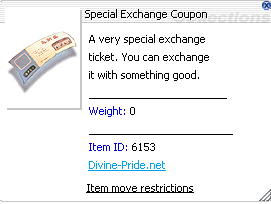
Special Exchange Coupon (can buy at cash shop or exchange your cash point with Special Exchange Coupon)
* '''Special Exchange Coupon (''can buy at cash shop or exchange your cash point with Special Exchange Coupon'')'''
Item ID: 6153
* '''Item ID:''' <code>6153</code>
Cost: 1 Special Exchange Coupon per costume
* '''Cost:''' 1 Special Exchange Coupon per costume
The NPC also displays the number of Special Exchange Coupons currently available in the player's inventory.
The NPC also displays the number of Special Exchange Coupons currently available in the player's inventory.
Benefits
== Benefits ==
Browse a large selection of costume items from one NPC.
Item id: 6153 Special Exchange Coupon
* Browse a large selection of costume items from one NPC.
Costumes are divided into multiple collections for easier browsing.
* [[File:Item_id_6153.png|thumb|Item id: 6153 Special Exchange Coupon]]Costumes are divided into multiple collections for easier browsing.
Preview supported costume items through the normal shop interface.
* Preview supported costume items through the normal shop interface.
Exchange only 1 Special Exchange Coupon for each costume.
* Exchange only '''1 Special Exchange Coupon''' for each costume.
Purchase multiple costumes in one transaction when enough coupons are available.
* Purchase multiple costumes in one transaction when enough coupons are available.
Customize character appearance without spending Zeny at this NPC.
* Customize character appearance without spending Zeny at this NPC.
Additional costumes are available through the Extra Collection and Extra Collection 2 categories.
* Additional costumes are available through the '''Extra Collection''' and '''Extra Collection 2''' categories.
How to Purchase
Visit the Gengster Cat Costume NPC at prontera 164,170.
Speak to the NPC.
Select a costume collection.
Browse and select the preferred costume.
Make sure there is enough inventory weight capacity.
Complete the exchange using 1 Special Exchange Coupon per costume.
Tip: Bring enough Special Exchange Coupons before visiting the NPC. If purchasing several costumes at once, one coupon is required for every costume selected.
== How to Purchase ==
1st–4th Job Equipment NPCs
# Visit the '''Gengster Cat Costume''' NPC at <code>prontera 164,170</code>.
Location: prt_mk 162,121 (1st job to 4th job equipment NPC)
# Speak to the NPC.
# Select a costume collection.
# Browse and select the preferred costume.
# Make sure there is enough inventory weight capacity.
# Complete the exchange using '''1 Special Exchange Coupon per costume'''.
The Job Equipment NPCs provide weapons, armor, accessories, and other equipment for characters progressing from 1st Job through 4th Job. All equipment merchants are grouped along the area indicated by the yellow arrows in the picture, making it easier for players to browse equipment for different jobs and equipment types.
<blockquote>'''Tip:''' Bring enough Special Exchange Coupons before visiting the NPC. If purchasing several costumes at once, one coupon is required for every costume selected.</blockquote>
NPC Location
= '''1st–4th Job Equipment NPCs''' =
Map: prt_mk — Prontera Market Street
[[File:GladiusRO_1st_to_4th_equip_NPC.png|alt=Location: prt_mk 162,121 (1st job to 4th job equipment NPC)|thumb|Location: prt_mk 162,121 (1st job to 4th job equipment NPC)]]
General area: Along both sides of the central southern pathway
The '''Job Equipment NPCs''' provide weapons, armor, accessories, and other equipment for characters progressing from '''1st Job through 4th Job'''. All equipment merchants are grouped along the area indicated by the '''yellow arrows''' in the picture, making it easier for players to browse equipment for different jobs and equipment types.
Map position shown in picture: Near prt_mk 162,121
Directions: Follow the yellow arrows south from the center of the map.
The equipment NPCs are positioned in rows on both sides of the pathway. Players should walk along the marked route and speak to the appropriate NPC for the required job level and equipment category.
== NPC Location ==
Purchase Requirements
* '''Map:''' <code>prt_mk</code> — Prontera Market Street
1st and 2nd Job Equipment
* '''General area:''' Along both sides of the central southern pathway
* '''Map position shown in picture:''' Near <code>prt_mk 162,121</code>
* '''Directions:''' Follow the yellow arrows south from the center of the map.
Equipment for 1st Job and 2nd Job characters can be purchased using Zeny.
The equipment NPCs are positioned in rows on both sides of the pathway. Players should walk along the marked route and speak to the appropriate NPC for the required job level and equipment category.
3rd and 4th Job Equipment
== Purchase Requirements ==
Equipment for 3rd Job and 4th Job characters requires:
==== 1st and 2nd Job Equipment ====
Equipment for '''1st Job''' and '''2nd Job''' characters can be purchased using '''Zeny'''.
Zeny
==== 3rd and 4th Job Equipment ====
Etel Dust
Equipment for '''3rd Job''' and '''4th Job''' characters requires:
HD Etel Bradium
HD Etel Carnium
Brown Diamond
The required materials can be obtained inside the Mining Area (You can go to Warper NPC, then select Mining Area, then choose any map to start mining). The exact Zeny price and material quantity depend on the equipment’s type and tier. More advanced equipment requires more Zeny and mining materials.
* '''Zeny'''
* '''Etel Dust'''
* '''HD Etel Bradium'''
* '''HD Etel Carnium'''
* '''Brown Diamond'''
Available Equipment
The required materials can be obtained inside the '''Mining Area ('''You can go to Warper NPC, then select Mining Area, then choose any map to start mining). The exact Zeny price and material quantity depend on the equipment’s type and tier. More advanced equipment requires more Zeny and mining materials.
== Available Equipment ==
The merchants provide numerous equipment categories, including:
The merchants provide numerous equipment categories, including:
Weapons for different jobs and classes
* Weapons for different jobs and classes
Armor
* Armor
Garments
* Garments
Footgear
* Footgear
Accessories
* Accessories
Headgear
* Headgear
Shields
* Shields
Shadow Equipment
* Shadow Equipment
Other job-specific equipment
* Other job-specific equipment
Each equipment category may have its own NPC. Players should check the NPC names and shop contents to find suitable equipment for their character.
Each equipment category may have its own NPC. Players should check the NPC names and shop contents to find suitable equipment for their character.
Benefits
== Benefits ==
Provides a clear equipment progression path from 1st Job to 4th Job.
Gives players convenient access to job-specific weapons and equipment.
* Provides a clear equipment progression path from '''1st Job to 4th Job'''.
All equipment NPCs are grouped in the same area for easier navigation.
* Gives players convenient access to job-specific weapons and equipment.
Early-game equipment can be purchased directly using Zeny.
* All equipment NPCs are grouped in the same area for easier navigation.
Advanced equipment can be obtained by collecting materials from the Mining Area.
* Early-game equipment can be purchased directly using Zeny.
Supports character progression into more advanced jobs and higher equipment tiers.
* Advanced equipment can be obtained by collecting materials from the Mining Area.
Offers equipment for many weapon types, armor slots, and character builds.
* Supports character progression into more advanced jobs and higher equipment tiers.
Rewards players for participating in mining and gathering activities.
* Offers equipment for many weapon types, armor slots, and character builds.
How to Purchase Equipment
* Rewards players for participating in mining and gathering activities.
Travel to Prontera Market Street at prt_mk.
Go to the location indicated by the yellow arrows.
Find the NPC that sells the required equipment category.
For 1st or 2nd Job equipment, prepare enough Zeny.
For 3rd or 4th Job equipment, prepare the required Zeny and mining materials.
Speak to the NPC and check the exact requirement before completing the purchase.
Tip: Visit the Mining Area before shopping for 3rd or 4th Job equipment. Collect Etel Dust, HD Etel Bradium, HD Etel Carnium, and Brown Diamond, as stronger equipment requires larger quantities of these materials.
== How to Purchase Equipment ==
Paid Max Job Master (NPC)
# Travel to '''Prontera Market Street''' at <code>prt_mk</code>.
Location: prontera 162,178
# Go to the location indicated by the yellow arrows.
# Find the NPC that sells the required equipment category.
# For '''1st or 2nd Job equipment''', prepare enough Zeny.
# For '''3rd or 4th Job equipment''', prepare the required Zeny and mining materials.
# Speak to the NPC and check the exact requirement before completing the purchase.
The service bypasses normal job-change quests, intermediate class progression, and level requirements. A successful transaction sets the character to Base Level 275 and Job Level 60 for a cost of 500 Cash Points.The NPC supports Novice, first jobs, second jobs, transcendent jobs, third jobs, Super Novice, expanded classes, and Doram Summoner progression. Existing learned skills and unused skill points are retained.
<blockquote>'''Tip:''' Visit the Mining Area before shopping for 3rd or 4th Job equipment. Collect '''Etel Dust, HD Etel Bradium, HD Etel Carnium, and Brown Diamond''', as stronger equipment requires larger quantities of these materials.</blockquote>
The service '''bypasses normal job-change quests''', intermediate class progression, and level requirements. A successful transaction sets the character to '''Base Level 275 and Job Level 60''' for a cost of '''500 Cash Points'''.The NPC supports Novice, first jobs, second jobs, transcendent jobs, third jobs, Super Novice, expanded classes, and Doram Summoner progression. Existing learned skills and unused skill points are retained.
=== Human first jobs ===
The available selection follows the current first-job branch:
The available selection follows the current first-job branch:
Swordman -> Dragon Knight or Imperial Guard
Mage -> Arch Mage or Elemental Master
Archer -> Windhawk or Troubadour/Trouvere
Acolyte -> Cardinal or Inquisitor
Merchant -> Meister or Biolo
Swordman -> Dragon Knight or Imperial Guard
Thief -> Shadow Cross or Abyss Chaser
Mage -> Arch Mage or Elemental Master
Archer -> Windhawk or Troubadour/Trouvere
Acolyte -> Cardinal or Inquisitor
Merchant -> Meister or Biolo
Thief -> Shadow Cross or Abyss Chaser
Human second and third jobs
=== Human second and third jobs ===
The NPC automatically chooses the matching final class:
The NPC automatically chooses the matching final class:
Knight -> Dragon Knight
Crusader -> Imperial Guard
Wizard -> Arch Mage
Sage -> Elemental Master
Hunter -> Windhawk
Bard -> Troubadour
Dancer -> Trouvere
Priest -> Cardinal
Monk -> Inquisitor
Blacksmith -> Meister
Alchemist -> Biolo
Assassin -> Shadow Cross
Rogue -> Abyss Chaser
=== '''Expanded and Doram classes''' ===
Super Novice -> Hyper Novice
Expanded Super Novice -> Hyper Novice
Gunslinger -> Night Watch
Rebellion -> Night Watch
Ninja/Kagerou -> Shinkiro
Ninja/Oboro -> Shiranui
Taekwon -> Sky Emperor or Soul Ascetic
Star Gladiator -> Sky Emperor
Star Emperor -> Sky Emperor
Soul Linker -> Soul Ascetic
Soul Reaper -> Soul Ascetic
Knight -> Dragon Knight
Doram Summoner -> Spirit Handler
Crusader -> Imperial Guard
Wizard -> Arch Mage
Sage -> Elemental Master
Hunter -> Windhawk
Bard -> Troubadour
Dancer -> Trouvere
Priest -> Cardinal
Monk -> Inquisitor
Blacksmith -> Meister
Alchemist -> Biolo
Assassin -> Shadow Cross
Rogue -> Abyss Chaser
Expanded and Doram classes
Super Novice -> Hyper Novice
Expanded Super Novice -> Hyper Novice
Gunslinger -> Night Watch
Rebellion -> Night Watch
Ninja/Kagerou -> Shinkiro
Ninja/Oboro -> Shiranui
Taekwon -> Sky Emperor or Soul Ascetic
Star Gladiator -> Sky Emperor
Star Emperor -> Sky Emperor
Soul Linker -> Soul Ascetic
Soul Reaper -> Soul Ascetic
Doram Summoner -> Spirit Handler
Revision as of 05:55, 24 October 2026
GladiusRO features a collection of exclusively developed Custom NPCs designed to enhance convenience, progression, rewards, and the overall gameplay experience. Each Custom NPC provides a unique service or feature, including access to special areas, server activities, investment systems, lotteries, VIP services, mining content, mission systems, reward redemption, and other custom functions. Use the sections below to learn where each NPC is located, how each system works, the requirements involved, and the rewards or services available.
The Market Entrance Warper provides quick access to the GladiusRO Market, the main trading centre where players can buy and sell a wide variety of items.
Inside the market, players can:
Browse shops selling weapons, armour, accessories, and other equipment.
Purchase pet eggs, pet accessories, taming items, and other pet-related supplies.
Find consumables, materials, rare items, and miscellaneous goods.
Open their own Vending Shop to sell items directly to other players.
Players who wish to sell items may enter through the Market Entrance Warper, choose a suitable vending location inside the market, and open a shop using the game’s vending system. Prices are determined by individual sellers, so buyers are encouraged to compare different shops before purchasing.
Whether purchasing new equipment, searching for pet supplies, selling valuable items, or looking for rare goods, the GladiusRO Market is the primary destination for player-to-player trading. Speak to the Market Entrance Warper to enter the market and start shopping or vending.
NPC Location
Map: Prontera Interior (prt_in)
Coordinates:135, 31
How to Enter the Market
Visit the Market Entrance Warper at prt_in, 135, 31.
Speak to the NPC.
Select Enter the Market.
The NPC will teleport your character directly to the Market.
GladiusRO Lottery (NPC)
location: prt_in,130,39
The GladiusRO Lottery is a coin-bag lottery system where players can purchase tickets for a chance to win prizes contributed by participating players.
NPC Location
Map: Prontera Interior (prt_in)
Coordinates:130, 39
Lottery Information
Each player may purchase up to 10 tickets per lottery round.
Players choose a lucky number from 1 to 9,999.
Winner will be automatic selected by system up to 5 number
The automatic lottery draw takes place at 21:00 server time (GMT+8) every day.
Each ticket may require between 1 and 100 Bronze, Silver, or Gold Coin Bags.
How to Participate
Visit the GladiusRO Lottery NPC at prt_in, 130, 39.
Speak to the NPC and select Buy Ticket.
Choose the number of tickets to purchase.
Select your preferred lucky number from 0001 to 9999.
Complete the purchase using the required Coin Bags.
Return after the daily draw to check the result.
NPC Options
Buy Ticket — Purchase a lottery ticket and choose a lucky number.
View My Tickets — Review tickets purchased for the current lottery round.
Top 20 Purchasers — View the players who purchased the most tickets.
Top 20 Winners — View the leading lottery winners.
Check Results / Claim — Check the latest result and claim an eligible prize.
Check Bag Returns — Check whether any Coin Bags are available to be returned.
View Winner Prizes — View the available prizes.
Important: Make sure to check the lottery result and claim any available prize after the daily draw.
AutoAttack System (NPC)
location: prontera,147,162
The AutoAttack System NPC allows players to configure automated combat, item collection, recovery, skills, teleportation, and other supported farming settings. Normal players receive 2 hours of AutoAttack access per day. The daily allowance resets automatically each calendar day. Players with an active GladiusRO VIP subscription receive unlimited AutoAttack access for as long as the VIP subscription remains active.
NPC Location
NPC Name: AutoAttack System
Map: Prontera (prontera)
Coordinates:147, 162
Service: AutoAttack activation and configuration
Access Duration
Normal Players
Normal players receive:
2 hours of AutoAttack access per day
Remaining time is saved when AutoAttack is turned off
Used time continues from the remaining daily allowance
The allowance resets automatically on the next calendar day
Unused time does not extend the following day
For example, if a player uses AutoAttack for 30 minutes, the account will have approximately 1 hour and 30 minutes remaining for that day.
GladiusRO VIP Players
Players with an active GladiusRO VIP subscription receive:
Unlimited AutoAttack access
Continuous access while VIP remains active
No normal 2-hour daily limitation
Access automatically returns to the normal daily limit when VIP expires
VIP access is available only while the GladiusRO VIP subscription is active.
How to Use the AutoAttack System
Visit the AutoAttack System NPC at prontera, 147, 162.
Speak to the NPC.
Open Configuration.
Configure the preferred monsters, skills, items, recovery options, and other settings.
Save the configuration to a profile if required.
Leave Prontera and travel to an eligible hunting map.
Open the AutoAttack System again using the supported command.
Select Turn ON AutoAttack.
Monitor the character and remaining AutoAttack time.
Select Turn OFF AutoAttack when the session is complete.
Although the NPC is located in Prontera, AutoAttack cannot be activated inside towns or cities. Players may still configure settings while inside Prontera.
AutoAttack Commands
Players can open the AutoAttack System using:
@autoattack
@ac
These commands provide access to the main AutoAttack menu after leaving the NPC location.
Main AutoAttack Menu
The AutoAttack System menu includes:
Turn ON AutoAttack
Turn OFF AutoAttack
Profiles — Save and Load
Configuration
Statistics and Reports
The menu also displays:
Current AutoAttack status
Account access type
Remaining daily time for normal players
Remaining VIP subscription time for VIP players
Current session duration while AutoAttack is active
AutoAttack Configuration
Players can configure several AutoAttack functions before beginning a session.
Available configuration categories include:
Monster selection
Attack skills
Buff skills
Buff items
HP and SP potions
Automatic healing
Item pickup selection
Priority item selection
Teleport settings
Regeneration settings
Sit-to-rest settings
Party request settings
Behavior when AutoAttack ends
Other supported combat settings
Reset settings
Players should configure these options carefully according to the character’s job, build, equipment, available items, and hunting location.
Profiles — Save and Load
The Profile system allows players to save AutoAttack configurations for later use.
Profiles are useful when a character has different settings for:
Leveling
Material farming
Item farming
Melee combat
Ranged combat
Physical skills
Magical skills
Different monster types
Different hunting maps
Before activating AutoAttack, load the correct profile and review all settings.
Monster Selection
Players can select the monsters that the character should target.
When configuring monsters:
Travel to the intended hunting map.
Open the AutoAttack System.
Select Configuration.
Open Monster Selection.
Select the monsters that the character should attack.
Save the configuration.
Turn on AutoAttack.
Monster selection cannot be performed properly inside towns because the system scans monsters available on the character’s current map.
Item Pickup Configuration
The AutoAttack System includes item pickup settings.
Players can configure:
Items that should be collected
Priority items
Items that should be ignored
Farming-related item preferences
Check the inventory and weight regularly. AutoAttack may become less effective if the character becomes overweight or runs out of inventory space.
Skills and Consumables
Players can configure supported attack skills, buff skills, buff items, and recovery consumables.
Before starting AutoAttack:
Prepare sufficient HP recovery items
Prepare sufficient SP recovery items
Confirm that required skill catalysts are available
Prepare ammunition when required
Confirm that the selected skills are learned
Check that skill levels are configured correctly
Confirm that equipped weapons support the selected skills
Keep enough inventory space for collected items
Teleport and Recovery Options
The AutoAttack System may be configured to use supported movement and recovery options, including:
Teleport
Fly Wings
Teleporting based on minimum HP
Teleporting when no monsters are found
Reactions to MVP or Mini Boss monsters
Sitting to recover HP and SP
Returning to the save point when AutoAttack ends
Make sure the character has the required items and skills before enabling these functions.
Restricted Maps
AutoAttack cannot be activated on the following types of maps:
Towns and cities
PvP maps
War of Emperium or GvG maps
Battleground maps
If an active AutoAttack character enters a restricted map, AutoAttack will be disabled automatically. Configuration remains available even when activation is restricted.
Statistics and Reports
The AutoAttack System provides session statistics and reports. Players can use this section to review supported information about the current AutoAttack session, including collected items and session activity. A new session may clear previous session statistics and item logs before recording new results.
Daily Time Calculation
For normal players, AutoAttack usage is counted only while AutoAttack is active.
When AutoAttack is turned off:
The completed session time is recorded
Remaining daily time is preserved
Players may continue later using the remaining allowance
When the full 2-hour daily limit is reached, AutoAttack stops automatically and becomes available again after the daily reset.
Logging Out During AutoAttack
When a normal player logs out while AutoAttack is active:
The completed session time is added to the daily usage
AutoAttack is stopped
The remaining daily allowance is preserved
VIP players retain unlimited eligibility while the VIP subscription remains active, but AutoAttack must be started again after returning to the game.
Recommended Setup Procedure
Before beginning an AutoAttack session:
Select a suitable hunting map.
Prepare the character’s equipment.
Prepare HP and SP recovery items.
Prepare ammunition or skill catalysts when required.
Configure the target monsters.
Configure attack and buff skills.
Configure item pickup preferences.
Configure recovery and teleport settings.
Save the settings to a profile.
Confirm that the map is not restricted.
Activate AutoAttack.
Monitor the character periodically.
Important Information
The AutoAttack System NPC is located at prontera, 147, 162.
Normal players receive 2 hours of AutoAttack access each day.
The normal player allowance resets every calendar day.
Remaining normal-player time is preserved when AutoAttack is turned off.
Normal daily time cannot exceed 2 hours.
GladiusRO VIP players receive unlimited access while VIP is active.
AutoAttack cannot be activated inside towns or cities.
AutoAttack cannot be used on PvP, WoE, GvG, or Battleground maps.
Entering a restricted map automatically disables AutoAttack.
Players can configure AutoAttack while inside Prontera.
Players can use @autoattack or @ac to open the system.
Profiles can be saved and loaded.
Players should monitor inventory weight and consumable supplies.
AutoAttack settings should be reviewed before every farming session.
Frequently Asked Questions
Where is the AutoAttack System NPC?
The AutoAttack System NPC is located in Prontera at:
prontera, 147, 162
How much AutoAttack time do normal players receive?
Normal players receive 2 hours per day.
The daily allowance resets automatically every calendar day.
Is the 2-hour limit counted continuously?
No. Time is counted while AutoAttack is active.
Players can turn off AutoAttack and use the remaining time later during the same day.
Does unused AutoAttack time carry over?
No. The normal daily allowance resets to 2 hours on the next calendar day. Unused time does not accumulate.
How much AutoAttack time do VIP players receive?
GladiusRO VIP players receive unlimited AutoAttack access for as long as the VIP subscription remains active.
What happens when GladiusRO VIP expires?
When VIP is no longer active, the account returns to the normal AutoAttack access rules and daily limit.
Can AutoAttack be turned on in Prontera?
No. Prontera is a town map, so AutoAttack activation is blocked.
Players can still access the NPC and configure AutoAttack settings in Prontera before travelling to an eligible hunting map.
Can AutoAttack be used in the Mining Area?
AutoAttack cannot be activated if the Mining Area has an active PvP map flag. The system blocks AutoAttack on all PvP maps.
Can AutoAttack be used during WoE?
No. AutoAttack is blocked on WoE and GvG maps.
Can AutoAttack be used in Battlegrounds?
No. AutoAttack is blocked on Battleground maps.
What happens when the normal daily time reaches zero?
AutoAttack stops automatically. The player must wait for the next daily reset or obtain active GladiusRO VIP access for unlimited usage.
Can normal players extend the 2-hour daily limit?
No. The normal-player allowance is fixed at 2 hours per day. Battery items or similar time additions cannot extend usage beyond that daily limit.
GladiusRO Exchanger (NPC)
location: prt_in,133,38
The GladiusRO Exchanger allows players to convert Bags of Coins into Zeny or exchange Zeny into Bags of Coins. Bags of Coins are used for various GladiusRO features, including Costume Enchantment, GladiusRO Investment, GladiusRO Lottery, Kachua Keys, and many more.
NPC Location
Map: Prontera Interior (prt_in)
Coordinates:133, 38
NPC Name: GladiusRO Exchanger
How to Exchange Currency
Visit the GladiusRO Exchanger at prt_in, 133, 38.
Speak to the NPC.
Select one of the available options:
Exchange Bags of Coins to Zeny
Exchange Zeny to Bags of Coins
Select the type of Coin Bag that you want to exchange.
Enter the desired quantity.
Confirm the exchange.
Available Coin Bags
Bag of Bronze Coins:1,000,000 Zeny
Bag of Silver Coins:20,000,000 Zeny
Bag of Gold Coins:250,000,000 Zeny
Important Information
Make sure the character has sufficient inventory space and weight capacity before exchanging Zeny for Bags of Coins.
Make sure the character has enough Zeny to complete the exchange.
When exchanging Bags of Coins into Zeny, the transaction cannot cause the character to exceed the maximum Zeny limit.
Always check the selected Coin Bag and quantity before completing the exchange.
Pet Merchant (NPC)
Location: prt_mk, 165,150
The Pet Merchant allows players to purchase a wide selection of Renewal Pet Eggs conveniently from one NPC. The shop contains 105 unique Pet Eggs, divided into five shop pages for easier browsing. Every Pet Egg is sold at a fixed price of 5,000,000 Zeny.
NPC Location
Map:prt_mk
Coordinates:165, 150
NPC Name: Pet Merchant
Benefits
Provides convenient access to 105 different Pet Eggs.
No need to hunt monsters or search multiple locations for available eggs.
All eggs have the same fixed price of 5,000,000 Zeny.
Eggs are separated into five shop pages, making them easier to browse.
Helps players collect pets and choose companions that may provide unique bonuses when properly cared for and equipped with the appropriate pet accessory.
How to Purchase
Visit the Pet Merchant at prt_mk 165,150.
Speak to the NPC.
Select one of the five Pet Egg shop pages.
Choose your preferred Pet Egg.
Complete the purchase using Zeny.
Pet Supply Merchant (NPC)
Location: prt_mk 167,150
The Pet Supply Merchant is a convenient one-stop NPC that provides essential items for raising and caring for pets. Players can purchase Pet Food, Pet Accessories, and Pet Incubators from a single merchant.
NPC Location
Map:prt_mk
Coordinates:167, 150
NPC Name: Pet Supply Merchant
Available Supplies
53 Pet Food items, divided into three shop pages.
41 Pet Accessories, divided into two shop pages.
Pet Incubators for hatching Pet Eggs.
Prices
Pet Food: 10,000 Zeny each
Pet Accessories: 1,000,000 Zeny each
Pet Incubator: 100,000 Zeny each
Benefits
Purchase all essential pet supplies from one convenient NPC.
Easily find suitable food to feed and care for different pets.
Purchase accessories that may unlock or activate a pet’s available bonuses.
Purchase Pet Incubators to hatch Pet Eggs.
Supplies are organized into separate shop pages for easier browsing.
Saves time by removing the need to search for pet supplies in multiple locations.
How to Use
Visit the Pet Supply Merchant at prt_mk 167,150.
Speak to the NPC.
Select the required category:
Pet Food
Pet Accessories
Pet Incubator
Select the appropriate shop page.
Choose the required item and complete the purchase using Zeny.
Tip: Keep enough Pet Food available to care for your pet. Check which food and accessory are suitable for the selected pet before purchasing
Gengster Cat Costume (NPC)
locaton: Prontera 164,170
The Gengster Cat Costume NPC is a special costume merchant where players can browse and exchange coupons for a wide variety of costume items. Costumes are organized into multiple collections, making it easier to preview and find a preferred appearance.
NPC Location
NPC Name: Gengster Cat Costume
Map:prontera
Coordinates:164, 170
Costume Requirement
Every costume requires:
Special Exchange Coupon (can buy at cash shop or exchange your cash point with Special Exchange Coupon)
Item ID:6153
Cost: 1 Special Exchange Coupon per costume
The NPC also displays the number of Special Exchange Coupons currently available in the player's inventory.
Benefits
Browse a large selection of costume items from one NPC.
Item id: 6153 Special Exchange CouponCostumes are divided into multiple collections for easier browsing.
Preview supported costume items through the normal shop interface.
Exchange only 1 Special Exchange Coupon for each costume.
Purchase multiple costumes in one transaction when enough coupons are available.
Customize character appearance without spending Zeny at this NPC.
Additional costumes are available through the Extra Collection and Extra Collection 2 categories.
How to Purchase
Visit the Gengster Cat Costume NPC at prontera 164,170.
Speak to the NPC.
Select a costume collection.
Browse and select the preferred costume.
Make sure there is enough inventory weight capacity.
Complete the exchange using 1 Special Exchange Coupon per costume.
Tip: Bring enough Special Exchange Coupons before visiting the NPC. If purchasing several costumes at once, one coupon is required for every costume selected.
1st–4th Job Equipment NPCs
Location: prt_mk 162,121 (1st job to 4th job equipment NPC)
The Job Equipment NPCs provide weapons, armor, accessories, and other equipment for characters progressing from 1st Job through 4th Job. All equipment merchants are grouped along the area indicated by the yellow arrows in the picture, making it easier for players to browse equipment for different jobs and equipment types.
NPC Location
Map:prt_mk — Prontera Market Street
General area: Along both sides of the central southern pathway
Map position shown in picture: Near prt_mk 162,121
Directions: Follow the yellow arrows south from the center of the map.
The equipment NPCs are positioned in rows on both sides of the pathway. Players should walk along the marked route and speak to the appropriate NPC for the required job level and equipment category.
Purchase Requirements
1st and 2nd Job Equipment
Equipment for 1st Job and 2nd Job characters can be purchased using Zeny.
3rd and 4th Job Equipment
Equipment for 3rd Job and 4th Job characters requires:
Zeny
Etel Dust
HD Etel Bradium
HD Etel Carnium
Brown Diamond
The required materials can be obtained inside the Mining Area (You can go to Warper NPC, then select Mining Area, then choose any map to start mining). The exact Zeny price and material quantity depend on the equipment’s type and tier. More advanced equipment requires more Zeny and mining materials.
Available Equipment
The merchants provide numerous equipment categories, including:
Weapons for different jobs and classes
Armor
Garments
Footgear
Accessories
Headgear
Shields
Shadow Equipment
Other job-specific equipment
Each equipment category may have its own NPC. Players should check the NPC names and shop contents to find suitable equipment for their character.
Benefits
Provides a clear equipment progression path from 1st Job to 4th Job.
Gives players convenient access to job-specific weapons and equipment.
All equipment NPCs are grouped in the same area for easier navigation.
Early-game equipment can be purchased directly using Zeny.
Advanced equipment can be obtained by collecting materials from the Mining Area.
Supports character progression into more advanced jobs and higher equipment tiers.
Offers equipment for many weapon types, armor slots, and character builds.
Rewards players for participating in mining and gathering activities.
How to Purchase Equipment
Travel to Prontera Market Street at prt_mk.
Go to the location indicated by the yellow arrows.
Find the NPC that sells the required equipment category.
For 1st or 2nd Job equipment, prepare enough Zeny.
For 3rd or 4th Job equipment, prepare the required Zeny and mining materials.
Speak to the NPC and check the exact requirement before completing the purchase.
Tip: Visit the Mining Area before shopping for 3rd or 4th Job equipment. Collect Etel Dust, HD Etel Bradium, HD Etel Carnium, and Brown Diamond, as stronger equipment requires larger quantities of these materials.
Paid Max Job Master (NPC)
Location: prontera 162,178
The service bypasses normal job-change quests, intermediate class progression, and level requirements. A successful transaction sets the character to Base Level 275 and Job Level 60 for a cost of 500 Cash Points.The NPC supports Novice, first jobs, second jobs, transcendent jobs, third jobs, Super Novice, expanded classes, and Doram Summoner progression. Existing learned skills and unused skill points are retained.
Human first jobs
The available selection follows the current first-job branch:
Swordman -> Dragon Knight or Imperial Guard
Mage -> Arch Mage or Elemental Master
Archer -> Windhawk or Troubadour/Trouvere
Acolyte -> Cardinal or Inquisitor
Merchant -> Meister or Biolo
Thief -> Shadow Cross or Abyss Chaser
Human second and third jobs
The NPC automatically chooses the matching final class: